New · v2.0 →
Convert Figma designs to wireframes. Instantly.
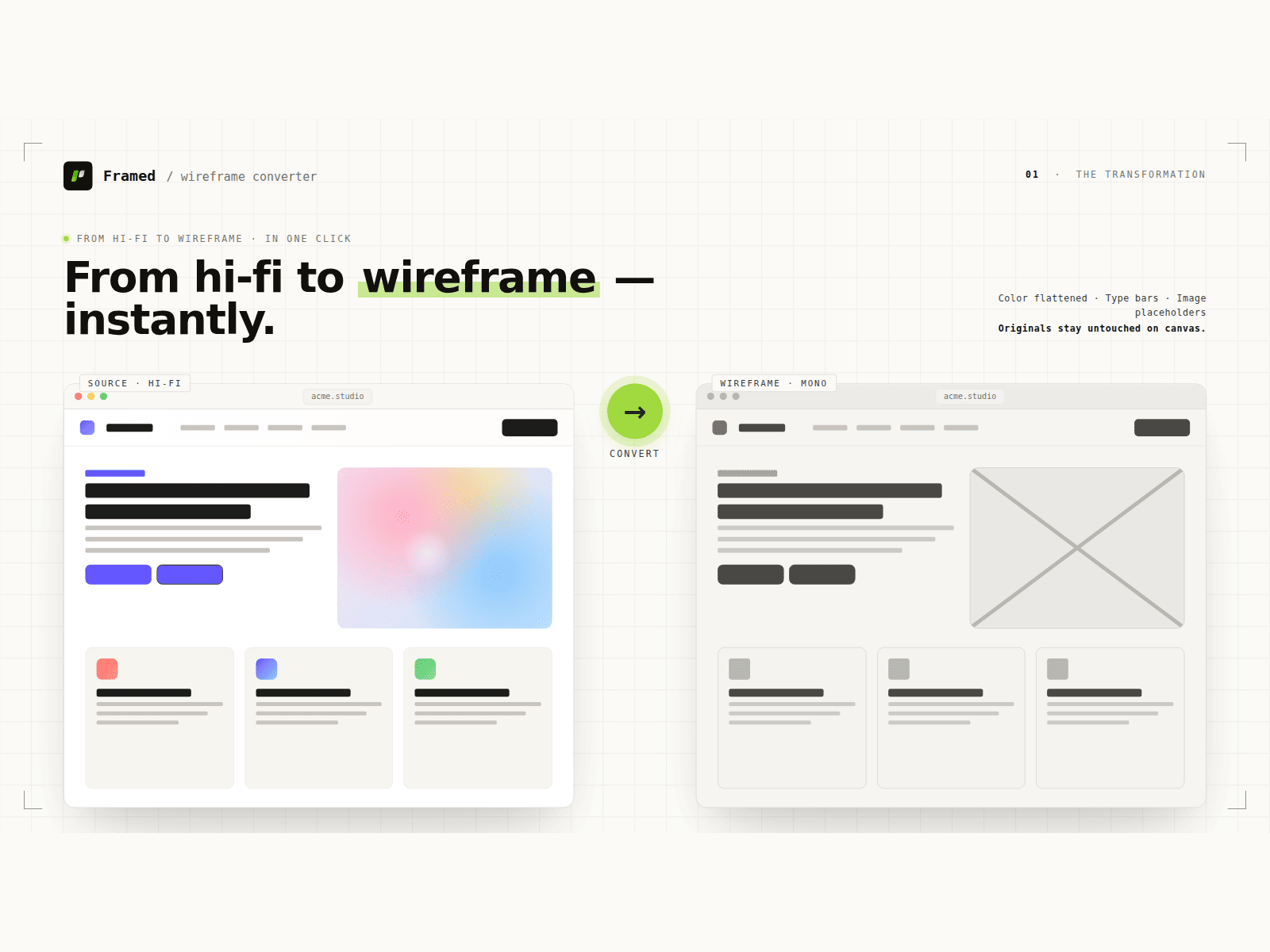
Framed strips the color, type and imagery from your hi-fi mockups so stakeholders review structure instead of buttons.
Framed
Source
Wireframe →
Framed strips the color, type and imagery from your hi-fi mockups so stakeholders review structure instead of buttons.
Framed is a Figma plugin that converts high-fidelity design mockups into clean wireframes with a single click. It’s built for product designers, design teams, and agencies who need to strip visual polish from a design so stakeholders focus on structure, hierarchy, and flow instead of color choices and button labels.
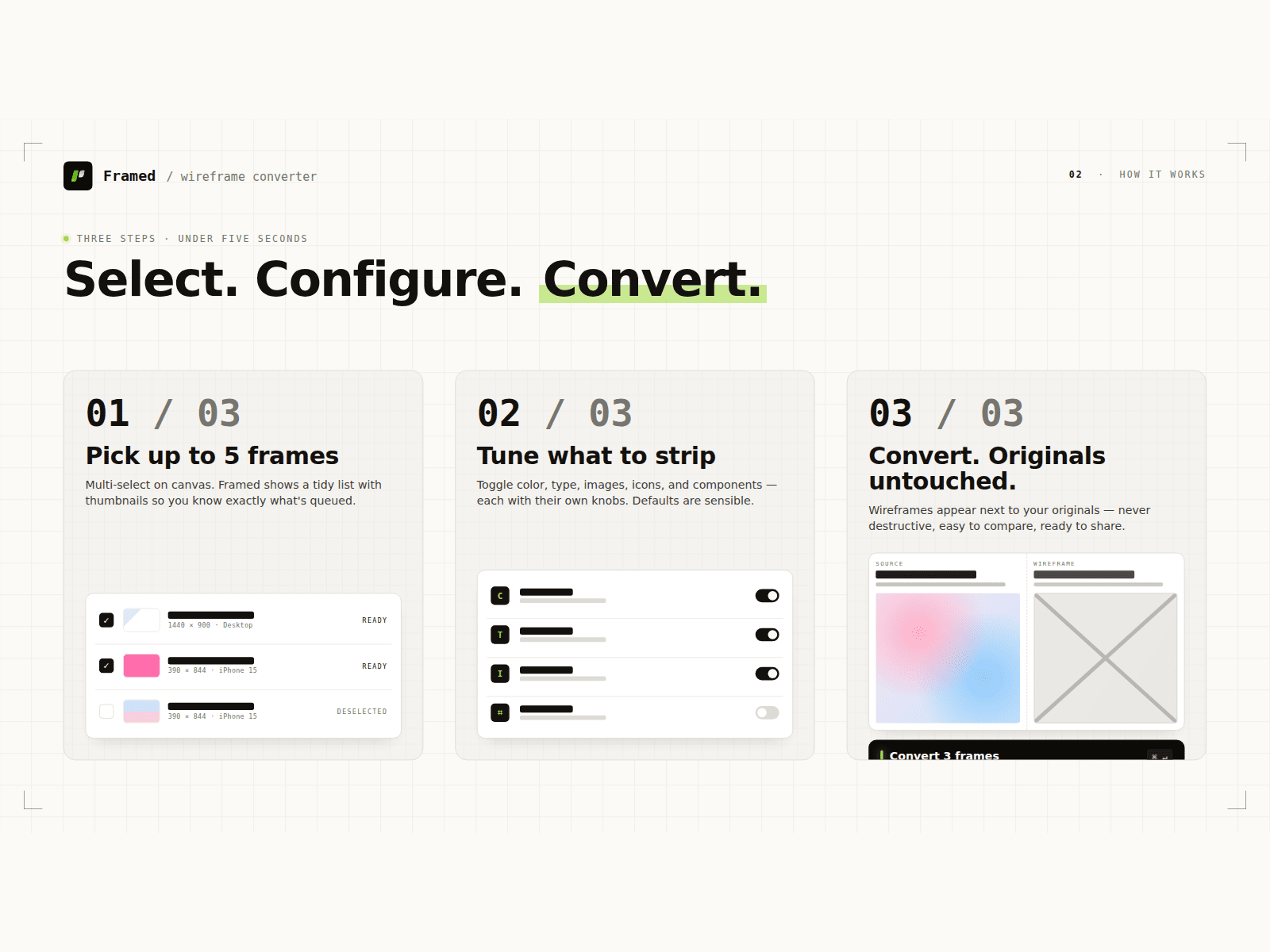
When you select a frame and run Framed, it clones the selection and transforms the copy: fills and gradients flatten to a neutral palette, text becomes bars (or Greek lorem, or disappears entirely), image fills turn into placeholders, icons go greyscale, and component instances can detach for frame-level editing. Your originals stay exactly as they were. Nothing is deleted or destructively changed.
Compare the top Figma wireframe plugins → · Manual vs plugin methods → · Wireframe vs mockup vs prototype →
[Frame] — Wireframe by default.The conversion runs locally inside Figma. No design data ever leaves your file. Framed only makes network calls to validate your Pro license key.
The features Free needs to be useful, and the ones Pro needs to be indispensable.
Convert selected frames to greyscale wireframes with text bars and image placeholders. Originals stay put.
Wireframe, Sketch, Greybox, Blueprint, Napkin and Print. Match the wireframe to how your team thinks.
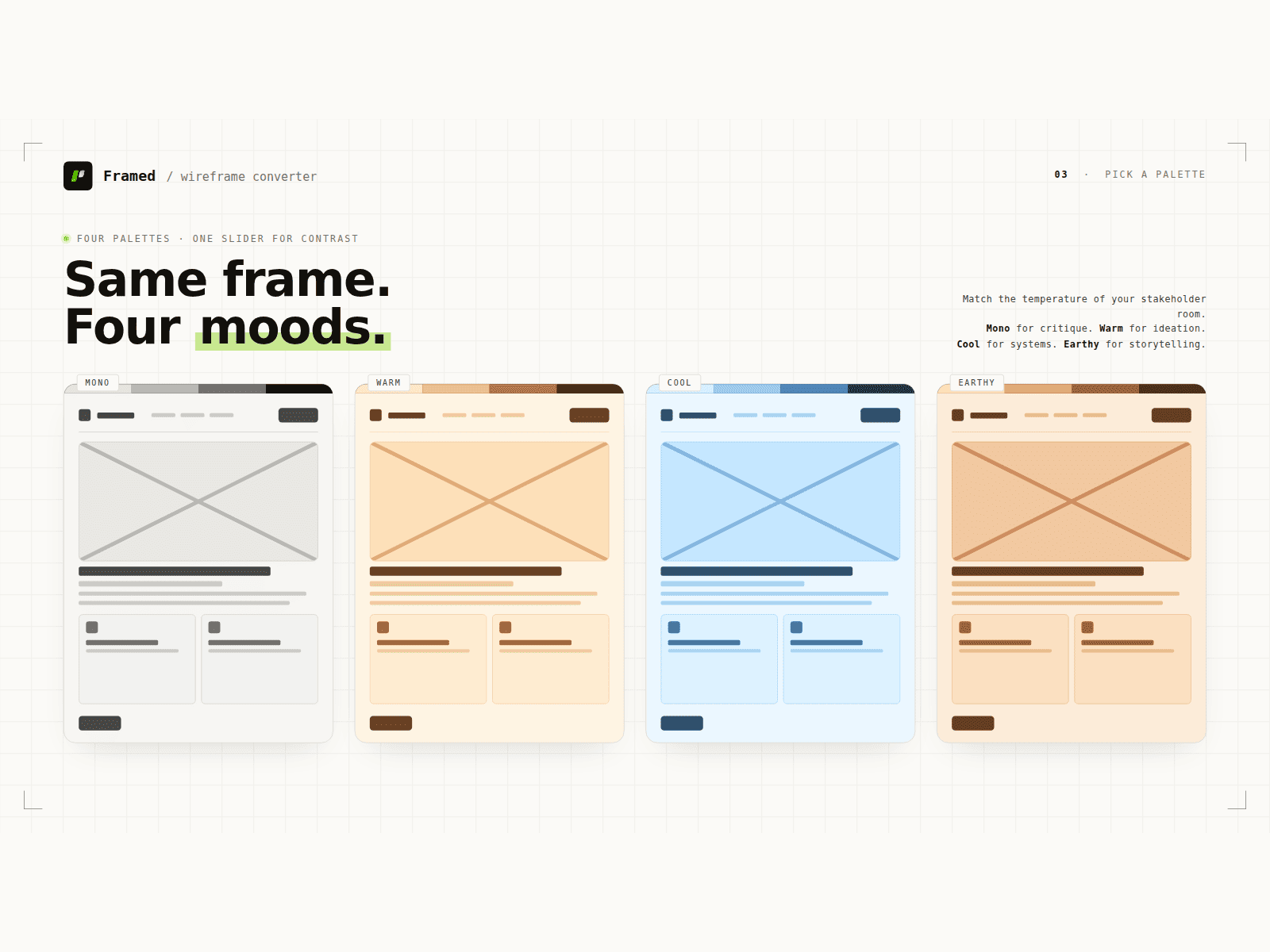
Warm, Cool, Earthy — or build your own with the color picker. Great for design-system-branded wireframes.
Edit the source frame — Framed auto-re-runs the conversion on its wireframe copy. No manual re-clicks.
PNG-export every converted frame in one click. 1×, 2×, or 3× scale.
Pick specific layers to keep untouched — logos, brand marks, anything you want preserved through the conversion.
Real screenshots from the plugin — the convert flow, the palette picker, and a few of the use cases Framed covers out of the box.
Free forever for the basics. One payment for everything else, updates included.
Anything else, email hello@framedplugin.com.
No. Framed clones your selection and applies the conversion to the copy. Your source frames stay exactly as they were.
On up to 3 devices per license. Deactivate an old device from your LemonSqueezy customer portal (link in your purchase email) if you hit the cap.
No. All conversion happens locally in your Figma file. The plugin's only network call is to api.lemonsqueezy.com to validate your license — nothing from your document leaves.
Full refund within 14 days, no questions. Email me your license key and I'll process it.
Yes. Any new modes or Pro features I ship roll out to every Pro license automatically. No re-purchase.